

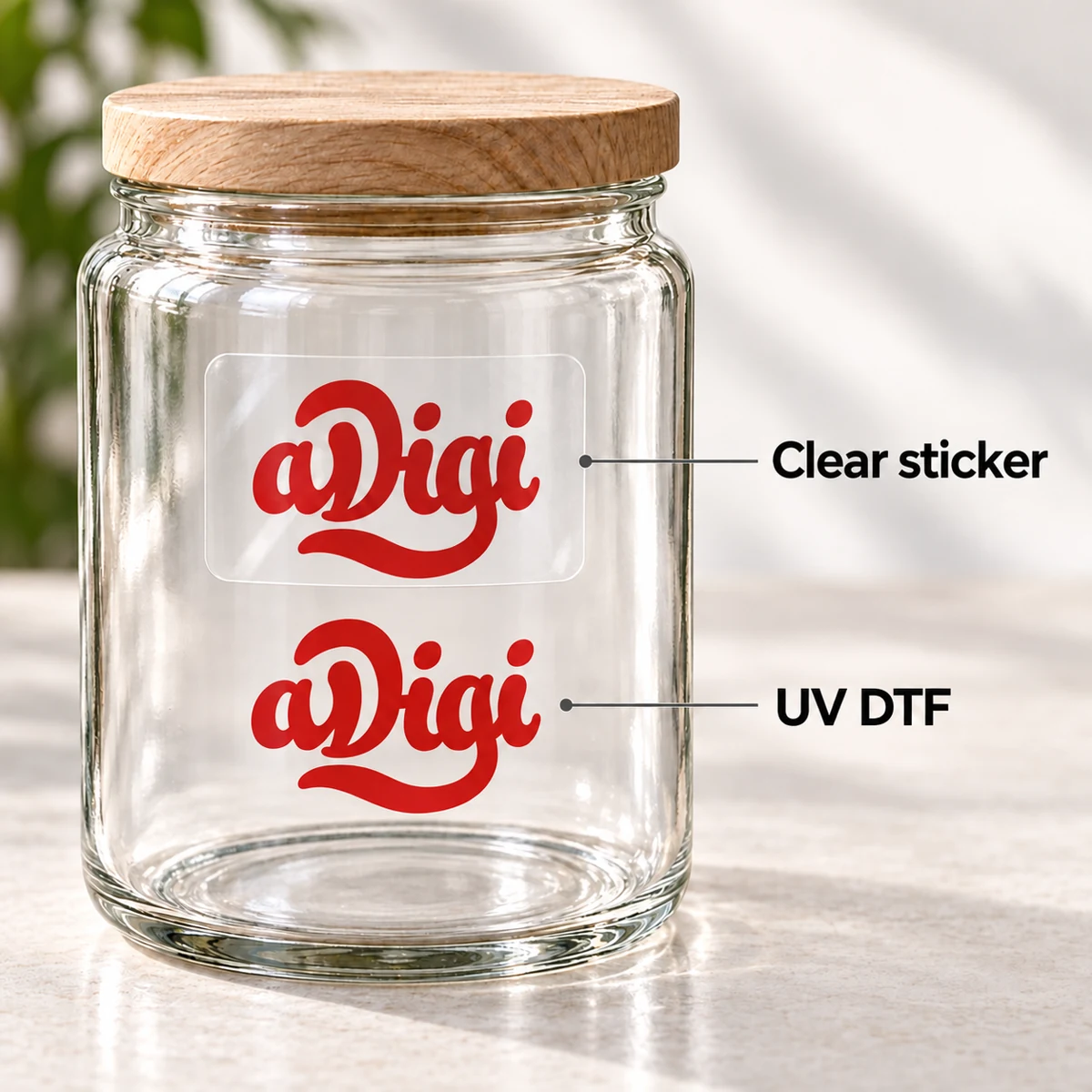
Your logo or design on an object, without a visible background sticker. With UV DTF, only the printed design stays on the surface. No continuous sticker film remains around the design or in its open spaces.
Application
- Clean and dry the surface. Check the position and orientation before applying.
- Remove the backing film, keeping the entire design on the transfer film. Position the design and press down carefully, including edges and small details.
- Peel the transfer film back slowly, close to the surface. If part of the design lifts, lay the film back down and press again.
No heat press is needed. Follow the instructions supplied with your order. Do not expect to move an applied design to a new position intact.
Artwork
- Supply a print-ready PDF at the final size and specify the width and height. Use vector graphics where possible. Embed fonts or convert text to outlines.
- Remove any background you do not want printed. Clearly identify areas to print in white and areas to leave unprinted.
- Tell us the object's material, surface colour, coating and available print area. Mention any curved surface.
- Check very small text, fine lines and white printing with us before sending the final file.
Check surface suitability before ordering. UV DTF is not a textile transfer. Rough, porous, soft and silicone surfaces need a separate assessment. Images of drinkware and tableware show exterior decoration, not suitability for food contact or dishwasher use.
UV DTF transfer stickers
Customize & Estimate
Start Customizing with Any Option
Artwork not ready?Order now, upload artwork later